

Orchestration
Decide which experience each reader sees, on which page and when
Orchestration is the rules layer behind every UniSignIn experience. It combines what is on the page with what you know about the reader, and picks what to show.
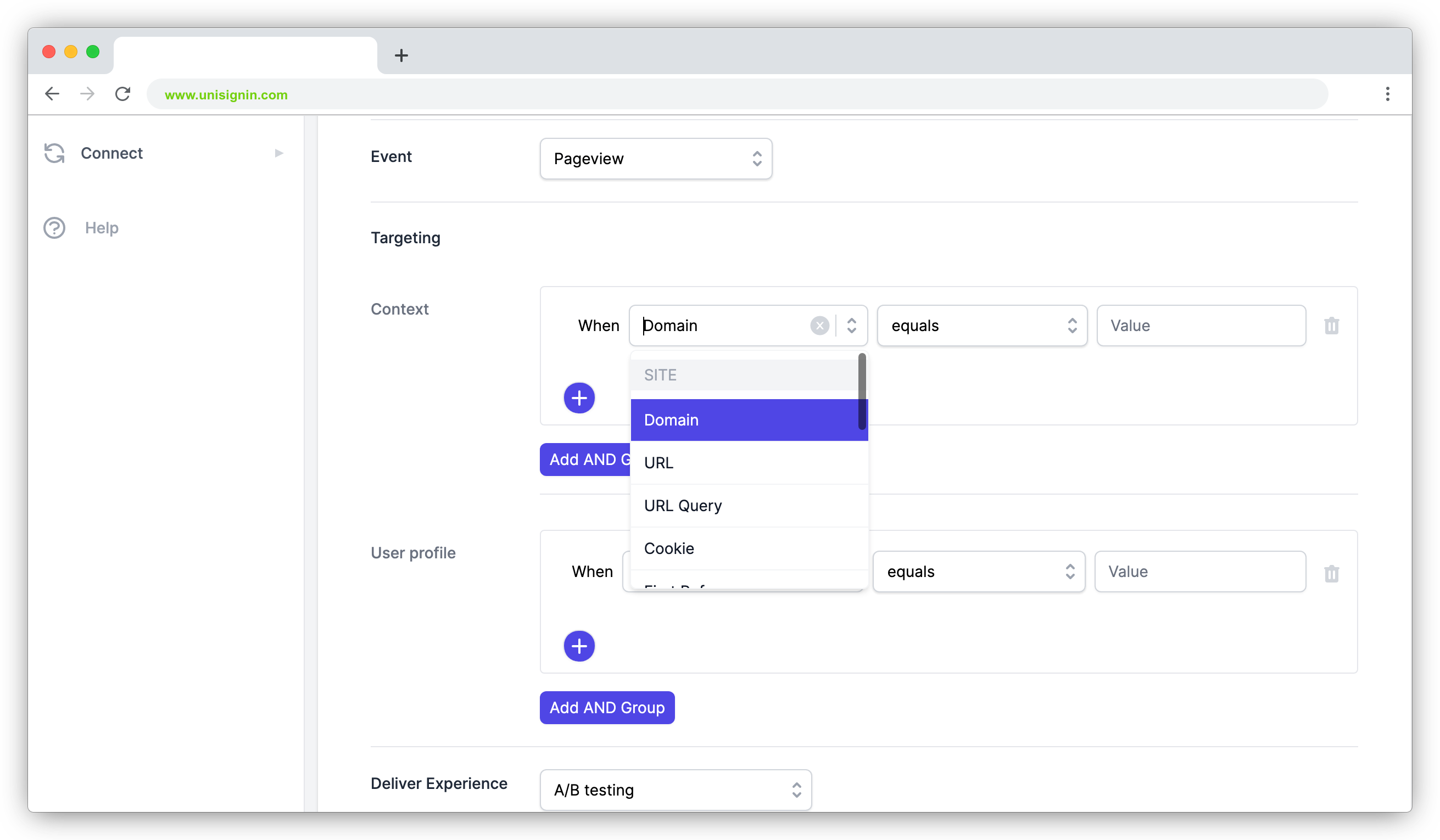
Page and visit rules
Target by URL, path, section, meta tags, referrer, time of day or values from your own data layer.
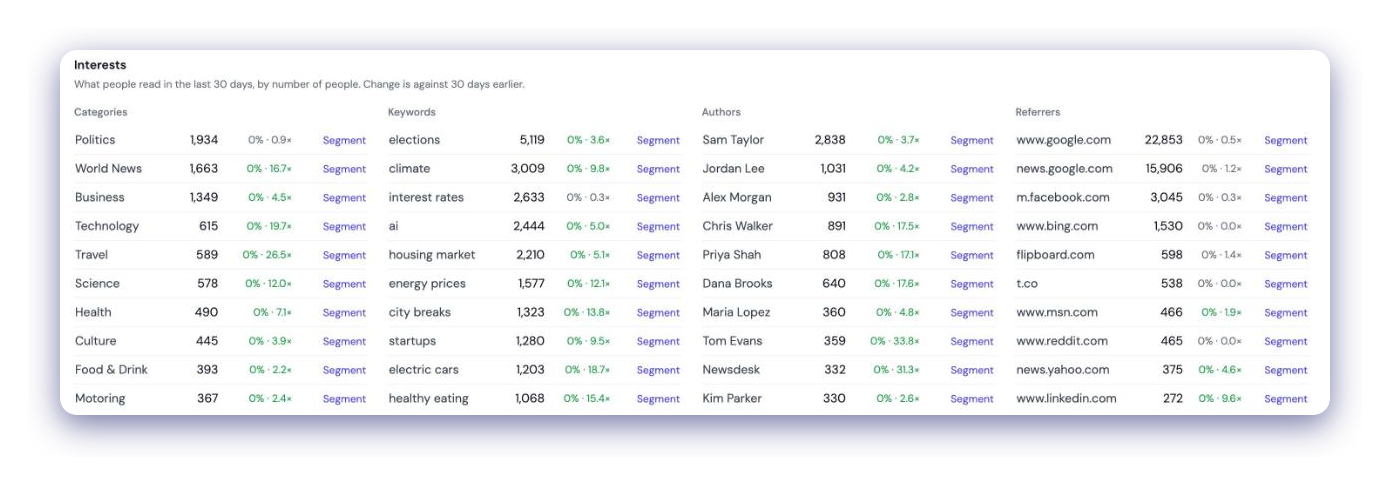
Reader rules
Use reading behaviour, registration, subscription status, email engagement or a saved segment.
A/B tests
Split readers between up to three experiences by percentage, and each reader keeps seeing the same variant.
Scheduling
Run an orchestration only between a start and end time for campaigns and events.
Rules built from page context and reader profile
A reader must match both the context rules and the profile rules. Conditions in a group are combined with OR, and groups are combined with AND.
- Show a sign-up offer only on long reads in your sport section
- Show a newsletter prompt to readers who arrived from search
- Hide subscription offers from readers who already pay
Works with every experience type
Registration walls, polls, comments, recommendations, newsletter sign-ups and adblock messages are all delivered through the same rules.
- Pick an experience from the library and add it to an orchestration
- Swap or test experiences without changing your site templates

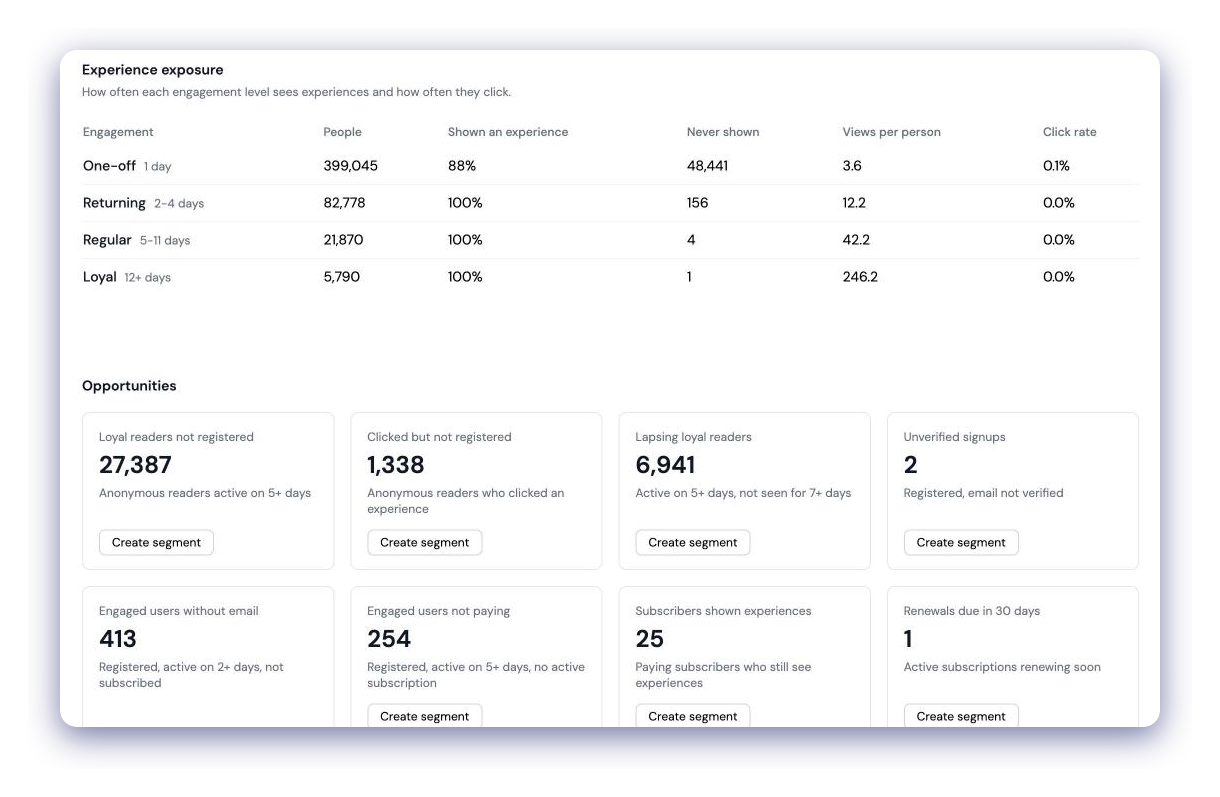
See what readers clicked before they converted
Each orchestration shows how often its experiences were shown and clicked. The Audience Overview shows which experience readers clicked last before signing up, subscribing to a newsletter or paying.
- Views and clicks per experience and per variant
- Last clicked experience for sign-ups, email subscriptions and paid subscriptions
- Tracked sign-up links in experience content to attribute registrations
Questions
Does Orchestration work for anonymous readers?+
Yes. Rules can use the reading behaviour of anonymous readers as well as the data of logged-in users, so you can target readers long before they register.
Can I target readers with data from my own site?+
Yes. Context rules can read cookies, local storage values, data layer variables or the result of a JavaScript expression that your site already sets.
Can I use personal details such as email addresses for targeting?+
No. Names, email addresses and phone numbers cannot be used in targeting rules. Use segments and profile fields instead.
How many experiences can one orchestration deliver?+
Up to three. Deliver them all to every matching reader, or split readers between them as an A/B test.
Related use cases
Try it on one of your sites
Create an account and add the tag, or ask us to walk you through it.
Stay ahead in first-party data
Identity, consent, audience, and subscription insights for publishers. A few emails a month, no spam.